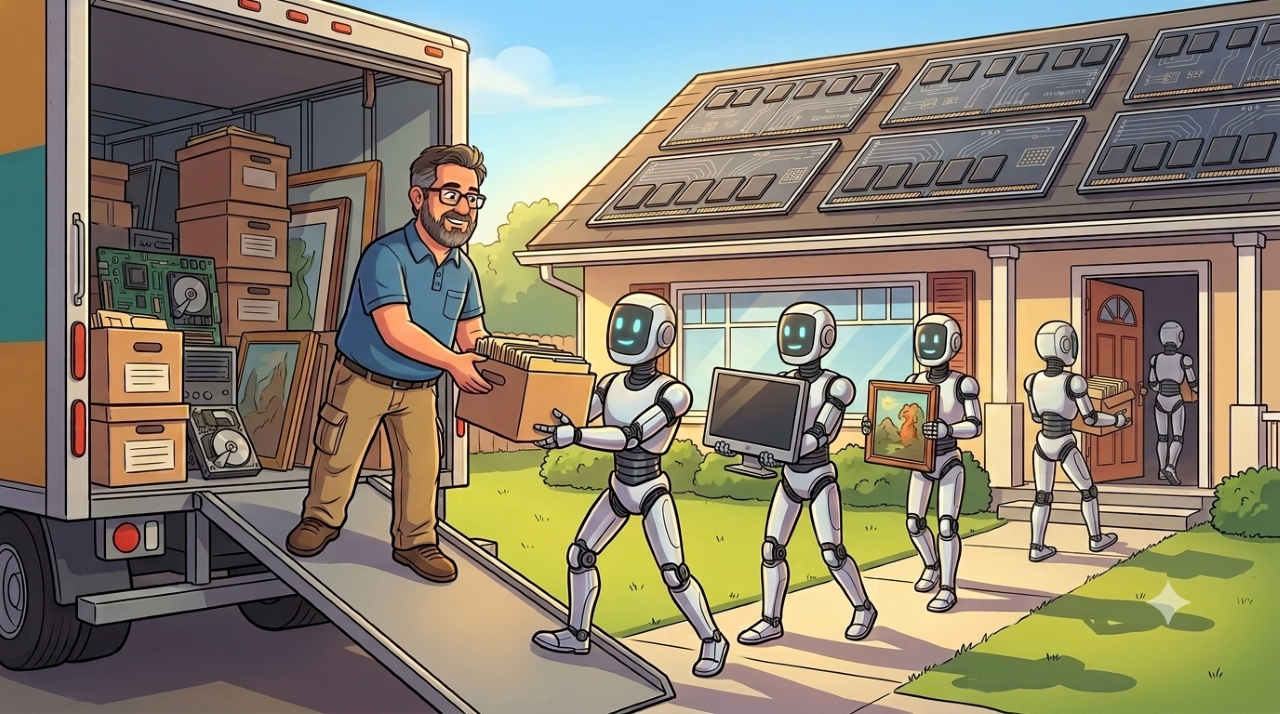
TL;DR: SaaS doesn’t remove implementation work, it relocates it: from servers and patches to configuration, nested declarations, and complex weaving of separate-but-related features to deliver enterprise capabilities over custom code written against vendor interfaces. Demos can be deceiving, even if not intentionally so. More often it’s the expectation that everything you need is available “out of the box” that makes SaaS look like a magic bullet to enterprise product owners instead of just another tool that takes training and skill to build with and effort to maintain.
When There Is No Box
SaaS can be the perfect architectural choice for an organization to focus on business value instead of unique technology capabilities. You don’t buy SaaS, you lease it, and that distinction is its value proposition. The vendor manages technology refresh cycles as part of the subscription through continuous updates instead of IT trying to keep up on endless patch cycles and observability-driven improvements. Traditional software, whether licensed on-prem or custom built (even “cloud native”), is a distraction for some organizations, and an outright burden for others, especially when the maintenance isn’t budgeted for during the design and build phases. Organizations that make the wrong choice end up in endless cycles of replacing systems through CapEx as a result of under-funded OpEx. These cycles are as disruptive to the users as they are to the support teams, both having to reskill while losing they “muscle memory” built up with the previous system. SaaS is often the solution for these organizations, but not always. Technical debt can written declaratively as well as programmatically, especially when enterprise SaaS is confused with enterprise software.
The gray area between SaaS and software is what it takes to turn a collection of separate-but-related features into an enterprise capability: level of effort, support, and everything a vendor demo skips over. Demos are built for the business buyer with a checkbook, not the developer with a deadline. A single capability, shown on its own, looks like a checkbox. Implementing it by wiring together ten other features, each documented as if the others didn’t exist is a different job entirely, and it’s the job nobody demos.
Bottom line: Nothing is “out of the box” with SaaS. SaaS has no box. It has a tenant, a contract, a configuration console, a few license tiers, an identity integration, and eventually a backlog. No box.
The wrong assumption is that enterprise SaaS is a pre-built application, so implementation is mostly a matter of switching it on (an understandable confusion because some non-enterprise SaaS does work that way). A more accurate model: enterprise SaaS is a product (and, with successful vendors, a collection of acquired, competing, products) sitting on a platform shared by thousands of other customers. The product supplies standard capabilities. The platform supplies features to configure, automate, extend, secure, integrate, monitor (sometimes) and govern them. Both matter, and they’re different implementation problems.
While there’s no box, SaaS still delivers many of the same benefits standard software has always had over custom builds, and a small company running a fairly standardized process can get close to production-ready with limited setup (warning: no organization with an IT staff ever has a limited setup). Those are the things business users are so used to that they forget to count them: security, role management, standard integrations, audit logging, backup and disaster recovery, single sign-on, and standard compliance (support) built in rather than bolted on. A department adds users, roles, approvals, reports, and a few local variations, and configuration becomes real work. An enterprise running the same product across business units, regulations, and integrations turns it into a configurable platform that needs architecture and governance, whether or not anyone wrote a line of code. Again, the confusion is mistaking standard features as “out of the box”. They are parameters necessary to use a well designed platform to protect both the customer and the vendor.
Cloud Has Changed the Meaning of OOTB
“Out of the box” used to mean a shrink-wrapped disk that installed a working application on a server you owned. Cloud didn’t kill the phrase, it’s just no more literal than dialing a phone or pasting text. The concepts are still the same, though sometimes mis-applied because the meaning has been lost in translation.
To a vendor, OOTB usually means the feature exists in the licensed edition, fits the product’s intended model, and can be enabled or demonstrated without a separate application. That’s an honest intent. It’s also incomplete. The platform including the building blocks is not the same as an organization putting the thing into production next week with its own data, users, policies, integrations, processes, and exceptions.
To a business stakeholder, OOTB often means something closer to done: complete, supported, included in the purchase, ready with minimal effort, sensible about exceptions to processes that “everyone” follows. Fair enough for a consumer app, but it falls apart fast in enterprise SaaS, because “normal” is in the eye of the beholder (or buyer), and the vendor is working from a normal defined by the lowest common denominator across their entire customer base.
To an engineer or an experienced administrator, it means the capability exists, there’s probably a supported configuration path, and there may also be three licensing constraints, a technical prerequisite nobody mentioned, and a limitation that won’t surface until a user asks a perfectly reasonable question in production.
The reason those three points of view keep colliding is simple: a feature demo is a planned, orchestrated, and practiced event to showcase what a product does. An enterprise capability is the business secret sauce baked into solution that relies on twice as many features and sometimes held together by bubblegum and baling wire. One is maybe out of the box. The other never saw a box, and the instructions were in a different language for a different purpose and required a lot of creativity that often goes unrecognized.
Enterprise SaaS is less a finished solution than a pile of Legos with an incomplete picture and no instructions (but sometimes a blog post, which isn’t always going to mention the complexity required or the dozens of failed attempts that came before it). The pieces are good. Plenty fit together well. But the pieces being in the box, metaphorically, since SaaS still doesn’t have one, doesn’t tell you what to build, whether the model survives the next upgrade, or who fixes it when someone changes a foundational rule six months from now.
Take a routing requirement. In a demo: a new request comes in, gets assigned by region, triggers a notification, and that’s it. In production: region comes from more than one system, the request touches multiple accounts, the assigned team depends on product line and contract status, some records are role-restricted, the notification has to respect local hours, and the downstream system is occasionally down. The feature is the same one from the demo. The demo was not OOTB, and neither is the solution the business needs. If you’re lucky, you might get details of how to duplicate the demo. You will not get instructions on how to make the version you actually need. And what seems the hardest for the non-technical folks to understand is that it is much more effort to create the configuration without direction than it is to develop with custom code. The custom code has no multi-tenant constraints.
OOTB is a capability statement. It is not an implementation estimate, an operational guarantee, or a substitute for architecture. And it isn’t available with SaaS (though some enterprising companies build add-ons that are, but they are usually even more constrained than the SaaS itself).
The Simpler the Configuration, the More Complex the Code It Hides
The difference between abstraction and misdirection is that the magician will often tell you he is misdirecting you. To identify abstraction, you need to think like an engineer, not business user.
Abstraction is not a bad thing. The steering wheel of a car is an abstraction from the complex systems necessary to change the orientation of the front wheels, and even developers who can read binary would still rather use method that abstracts the library of components that abstract the bits away from streaming data from one location to another.
But you can make better decisions about how to steer the car or which streaming library to use if you understand that it is an abstraction and actions have deeper consequences.
Configuration and declarative programming are that same kind of abstraction, a steering wheel for the platform instead of a wrench in its engine. An out-of-the-box capability is a feature the platform supplies through exactly that abstraction. It may work as-is for the standard case, but it usually needs configuration, permissions, data setup, licensing, and training before it’s useful, and it may not match the current process exactly.
Configuration means shaping standard behavior through supported settings: roles, page layouts, field validation, reports, routing rules, approval structures, notifications, integration endpoints. Once it affects production behavior, it’s implementation work, full stop, with requirements, design review, test cases, deployment control, documentation, and an owner. Calling it “not development” is technically defensible in the narrowest sense. It’s also how a team ends up with 437 rules, three administrators who understand half of them, and no confident answer for what happens when a customer’s status changes (see Agile is not Ready, Fire, Aim for more on this).
Declarative development, workflow tools, rules engines, visual process designers, formula fields, event triggers, is a platform-provided way to define logic without conventional code. It’s still code. The platform abstracts the syntax away from the person assembling it. It doesn’t abstract away the consequences. A few boxes connected by arrows can represent a substantial amount of execution logic, error handling, and dependency chains the calm canvas never shows, until production has other opinions, usually at an inconvenient hour. Stack enough simple, individually reasonable configurations and the system ends up simple nowhere and complex everywhere at once (see 5 Considerations About Low-Code/No-Code).
That’s the mechanism that makes SaaS scale, not a flaw to engineer away. A platform flexible enough to fit a hospital system, a bank, and a mid-size distributor without three separate codebases has to carry that flexibility as complexity somewhere. The vendor pushes it into configuration and declarative tooling instead of custom code. That doesn’t make the complexity optional, it just changes who manages it and what tools they get to do it with.
Custom development, code within supported extension mechanisms, custom applications on the platform, middleware, integration services, isn’t automatically a failure of SaaS. A five-line extension with source control, automated tests, logging, and a documented owner can be safer than a heroic visual flow nobody wants to touch because the canvas now resembles an airport terminal map. The safer default is buy-before-build: standard components first, AppExchange next, custom code only when nothing else genuinely fits (see Enterprise Salesforce Team Recipe for a longer rant on this aspect). Either way, the distinction that matters isn’t code versus clicks. It’s whether the result can be understood, tested, secured, upgraded, and supported by whoever inherits it. Microsoft’s own guidance on low-code governance is telling here: it talks about guiding “both professional and citizen developers who build custom applications for business needs” (see What Is Low-Code Governance and Why Is It Necessary?). A low-code solution is still a custom application, and it needs roles, controls, and oversight regardless of how few characters got typed to build it.
“Can Be Done” != “Is Supported”
This is worth repeating more than once: almost anything is technically possible with enough extensions, workarounds, APIs, and questionable judgment. Whether it’s supported is a different question entirely (insert Jeff Goldblum Jurassic Park meme here).
Vendor-supported means the mechanism is documented, stood behind, and preserved through normal releases. Whether your own teams can support it comes down to whether they can diagnose it, test it, change it, and hand it off. And it only stays sustainable if the whole thing remains economically and operationally reasonable as the platform, the process, and the team keep changing around it. A demo answering yes to “can it be done” tells you nothing about the other three.
Undocumented API behavior, browser automation standing in for a real integration, a customization that quietly modifies vendor-delivered files, a workflow built on a feature the vendor has already announced it’s retiring, a marketplace add-on with one maintainer and an optimistic roadmap: all technically working. A documented, versioned extension point is a different commitment than any of that.
The cost and risk of “custom” depends less on the label and more on the stability of what it’s built on. A stable foundation has published APIs with deprecation notices, documented extension points, sandboxes, deployment and rollback mechanisms, and a realistic talent pool that can maintain it. An unstable one has undocumented internals, screen scraping, direct database access outside vendor guidance, fragile third-party dependencies, and configuration too tangled to inventory. A small customization on a documented extension point can have a modest lifecycle cost. A small customization on undocumented behavior can turn into a recurring upgrade project. The line count, or the number of boxes in a flow, tells you less than the stability of the surface it’s built on.
Standard declarative features aren’t automatically exempt from this either. Salesforce ended support for Workflow Rules and Process Builder after December 31, 2025. Existing automation can keep running. Salesforce’s own documentation puts the distinction plainly: “Your active Workflow Rules and Process Builder processes continue to run as they do today,” followed immediately by the limitation that “customer support is not available, and bugs will not be fixed” (from Workflow Rules and Process Builder End of Support). Salesforce’s own stated reasoning for the consolidation was that spreading automation across multiple tools “hampers both maintenance and innovation” (see Go with the Flow: What’s Happening with Workflow Rules and Process Builder?), which is a reasonable product decision. It doesn’t change who pays for inventorying, testing, migrating, and retraining on what got built on the old feature. “We didn’t write code” was never a lifecycle strategy.
Which is where architects earn their keep, not by vetoing low-code or routing every request through a custom-dev project, but by distinguishing product configuration from business-critical custom behavior, spotting dependency and lifecycle risk before it’s load-bearing, and asking what happens when the vendor retires the thing three years from now. The job isn’t making the solution more complicated. It’s making the complexity visible early enough that the organization can choose where to carry it.
The Ocean View Capability
Every enterprise SaaS platform has Ocean View capabilities. They look excellent from the balcony. The demo is clean, the data is cooperative, the presenter knows the route, and the integration has already been arranged. The value is obvious.
Shiny things can be dazzling, but don’t mistake them for a trick. A ninety-second demo has to compress a hard problem into something presentable, and that compression is what quietly removes the cases that would make the problem visible.
Then implementation starts, and someone asks about identity federation, field-level security, migration errors, audit history, a regional exception, an approval delegation, an API failure, and the department that’s been running its actual process out of a shared mailbox since 2014. The ocean’s still there. It’s just farther from the lobby than the brochure implied.
Vendor blogs are good for learning what a feature is intended to do. They’re written to explain a capability, not to catalog every limitation, so they lean on clean prepared data, follow the happy path, and rarely dwell on edition-specific licensing, exception handling, or recovery scenarios. A vendor blog can show that a feature exists. It rarely proves the feature fits your operating model.
Demos are orchestrated on purpose, not deceptively, just deliberately: prepared dataset, existing roles and permissions, the expected route through the workflow, integrations already wired, no duplicate records, no outages, no data-quality problems, no last-minute policy exception. Call it theater, not fraud. It’s designed to explain a capability quickly, not reproduce a customer’s production environment. The mistake is mistaking a successful demo for a fit assessment.
The fix is straightforward, if less exciting than watching a polished walkthrough: ask the vendor to run the organization’s actual process with representative data, not the generic version. Require the exception path, not just the happy one. Test the real identity, role, and approval requirements, and find out what happens when an integration or automation fails. Get the licensing tiers, support boundaries, and lifecycle commitments in writing. The best single question in the room is usually, “Show me what happens when it doesn’t work.”
Gregor Hohpe, (the definitive author on architecture, IMO) states the reality experienced architects live in more plainly than almost anyone writing about this, goes further in The Quest for Low-Code. His starting point: there’s no magic in software. Every code-reduction mechanism implies a trade-off, and the evaluation job is naming which one you’re accepting. From there his checklist gets concrete: is what’s left actually low cognitive load, or just low line-count with the complexity relocated into a jumble of custom syntax buried in quotes inside a YAML file? How does the solution evolve, is there version control, can you roll back, does it hold up past the scale of the demo? And what happens on the unhappy path, do the error messages help or just leak the tool’s internals? His three vendor exercises put that last question to the test directly: introduce an error on purpose and read what the message actually tells you, leave the room and have the vendor break the thing and debug it live, or take the keyboard yourself and see how much hand-holding it takes to build something real.
Configure Deliberately, Extend Carefully
SaaS is frequently the right call. It reduces unnecessary ownership, accelerates access to mature capability, and spares an organization from rebuilding commodity software it has no business rebuilding. Standard functionality should be the default. Sometimes the business process should adapt to a proven product model instead of demanding a bespoke replica of every legacy exception it’s accumulated out of habit.
None of that means every use case gets covered for free. The same flexibility that lets the platform serve wildly different businesses is what makes your specific business’s edge cases someone’s implementation problem, not a checkbox someone forgot to include. And custom code isn’t automatically the harder path. A clean extension against a documented interface can take less time and less risk than the half-dozen declarative features it would take to fake the same behavior through configuration. The label on the technique, code or clicks, was never a reliable way to estimate the work.
Watch for the case study that shows someone getting a complex capability working by wiring together three or four platform features. It’s real, but it’s also incomplete: what made it into the write-up is the wiring, not the weeks of trial, error, and platform-specific knowledge that came before it worked cleanly enough to demo. A capability that took a seasoned admin forty hours to get right the third time doesn’t become a ten-minute task because the polished version only takes ten minutes to watch someone build.
And the decision to go with SaaS is not where the architecture ends. A workflow assembled in a visual designer can still affect revenue, customer commitments, regulatory obligations, and a support team’s weekend. An integration configured through a menu can still fail at 2:00 AM. A field renamed without documentation can still turn next year’s migration into archaeology.
Use the standard product where it genuinely fits. Configure it with discipline, and price that discipline honestly: time, effort, and cost scale with how far the requirement sits from the common case, because the common case is what SaaS was built to solve cheaply. The more unique the business need, the more of that cost the organization carries itself, whether it ends up in configuration, declarative automation, or custom code. Treat declarative automation as software, because it is. Extend stable, documented foundations when the requirement earns it, code included. And the next time someone says a capability is available out of the box, ask who it’s actually out of the box for.
In enterprise SaaS, nothing is truly out of the box. The capability exists. What it costs to make that capability yours, in time, effort, and risk, is an architecture decision shaped by how far your need sits from the common case, not a vendor claim and not a line item copied from someone else’s case study.
If you found this interesting, please share.